
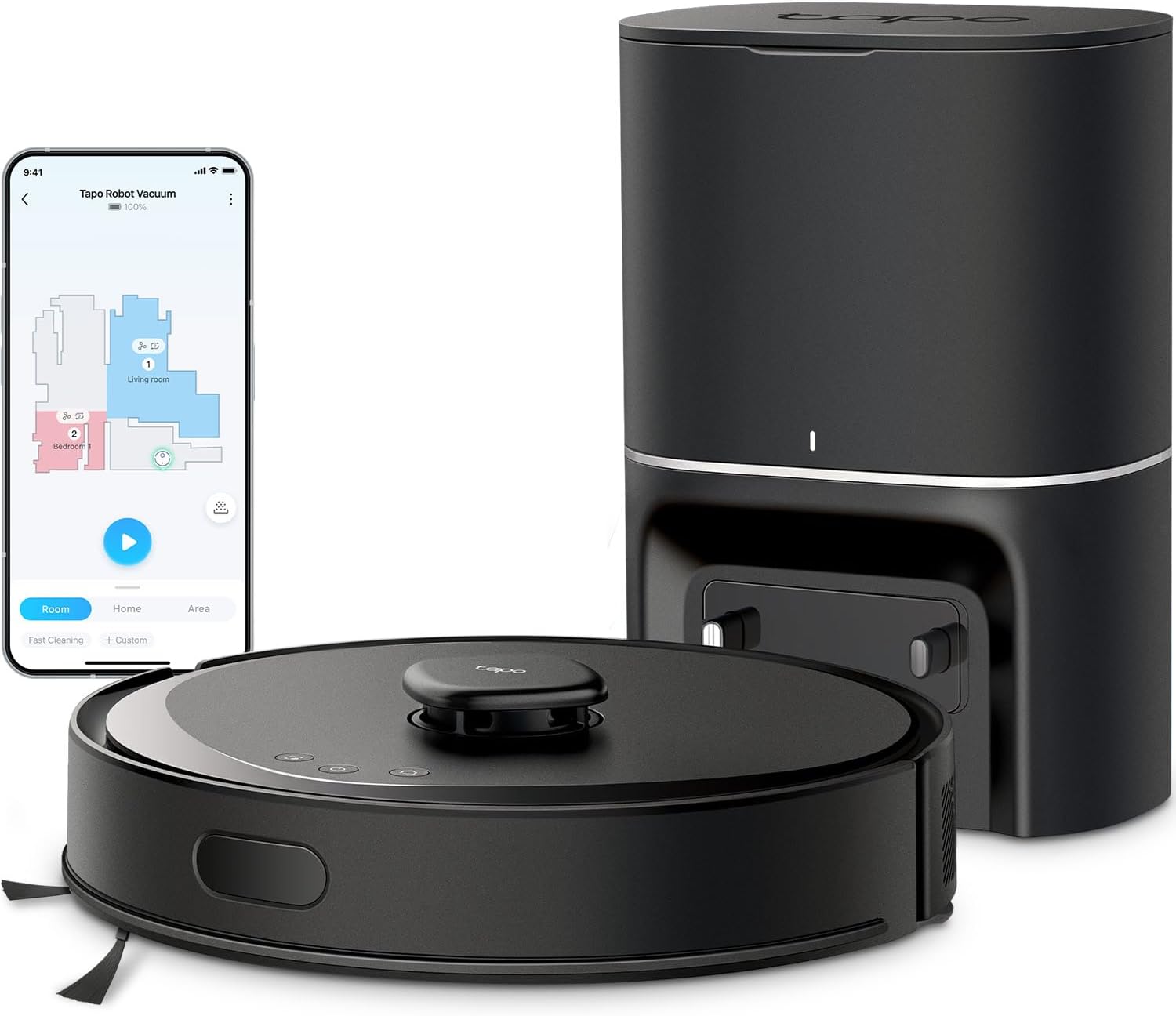
I wanted a Self-Emptying Robot Vacuum that could handle everyday cleaning without requiring me to constantly empty a tiny dustbin, rescue it from random corners, or spend more time managing the robot than actually cleaning.
The Tapo RV30 Max Plus has turned out to be a very good balance between automation, cleaning power, smart features, and price.
The feature that makes the biggest difference for me is definitely the self-emptying dock, making the tapo RV30 Max Plus, one of the best self-emptying robot vacuum.
I’ve used robot vacuums where you still have to empty the internal dustbin after almost every cleaning cycle. At that point, the experience doesn’t feel particularly automatic. With this one, the robot returns to its base and the dock empties the debris into a much larger bag. Tapo uses a 3-liter dust bag and says it can hold up to around two months of debris depending on how often you clean and how dirty your home gets.
That completely changes how I use a robot vacuum.

Instead of thinking about it as something I manually turn on occasionally, I can schedule it and mostly leave it alone. That’s really what I wanted from a self-emptying robot vacuum in the first place.
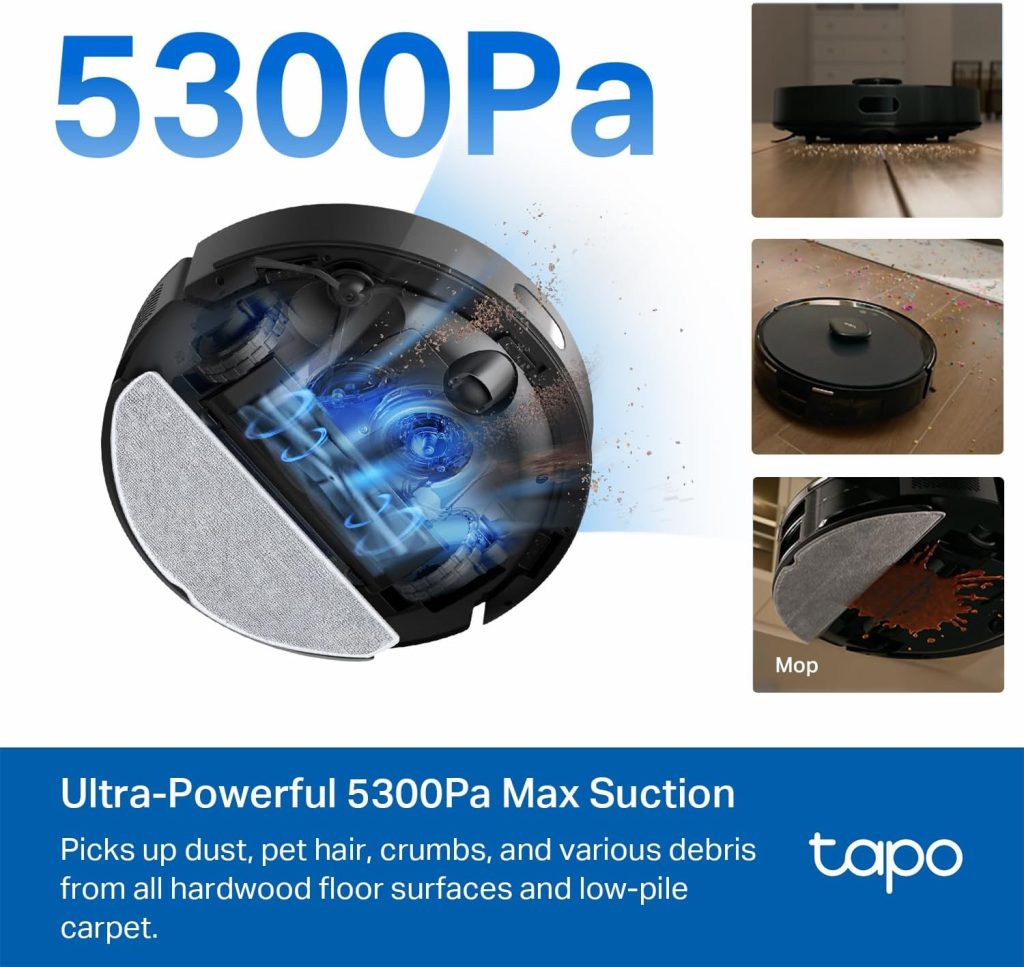
Cleaning performance has also been very good. The RV30 Max Plus is rated for up to 5,300 Pa of suction, and there are several suction levels available. For normal everyday cleaning, I don’t think it needs to run at maximum power all the time. The standard settings are enough for regular dust, crumbs, hair and the debris that somehow appears on the floor every day.
Higher suction is useful when you want a deeper clean or when it moves onto carpet.
The automatic carpet boost is especially useful because I don’t have to manually change the suction every time it moves between different floor surfaces. On hard floors, it can operate more quietly, and when additional suction is needed, it can increase power.
The navigation is probably one of the areas where I noticed the biggest difference compared with cheaper robot vacuums.
The RV30 Max Plus (self-emptying robot vacuum) uses LiDAR together with an IMU navigation system to map the house. Instead of wandering around randomly and hoping it eventually reaches every area, it creates a map and follows much more organized cleaning patterns.
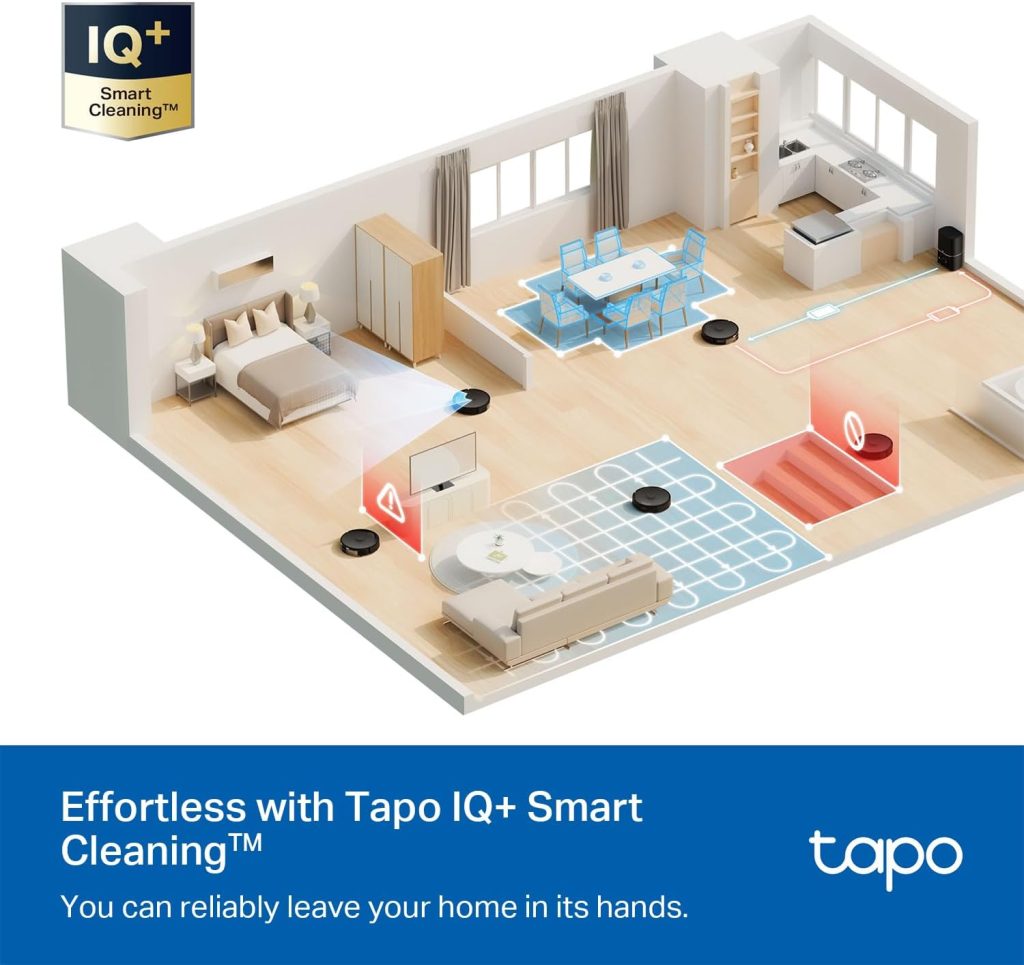
Once the map is created, the app becomes genuinely useful.
I can divide or combine rooms, select specific areas to clean, create schedules, establish virtual walls, and tell the robot where it shouldn’t go. This is particularly helpful if there is an area with cables, pet bowls, furniture or something else that I don’t want the vacuum approaching.
You can also create multiple floor maps, which is useful if you live in a two-story house.
One thing I would still recommend is picking up very small objects and loose cables before starting a cleaning cycle. The navigation is good, but I don’t think any robot vacuum should be treated as if it can magically recognize every sock, charging cable or tiny object left on the floor. Giving it a relatively clear path produces much better results.
The Tapo app itself is another positive. I was expecting it to feel like an unnecessary extra, but it gives you quite a bit of control over the vacuum. You can see where the robot is cleaning in real time, choose rooms, modify cleaning settings and set different routines.
For example, you can have higher suction in one area and a lighter cleaning routine somewhere else. You can also tell it to clean the kitchen after dinner rather than cleaning the entire house every time.
That level of customization is much more useful than simply having a Start and Stop button.
It also works with Alexa and Google Assistant, although I consider voice control more of a convenience than an essential feature. The app is where most of the useful customization happens.
The mopping function is good, but this is one area where expectations should be realistic.
It uses a water tank with electronically controlled water flow and three water levels. For everyday maintenance, dust and light marks on hard floors, it works well. I like being able to vacuum and mop during the same general cleaning routine.
However, I wouldn’t expect it to replace manually scrubbing a floor that has dried food, sticky spills or difficult stains.
I look at the mopping function as a way to keep already-clean floors looking cleaner for longer, rather than as a replacement for occasional deep cleaning. Viewed that way, it’s a very useful feature.
The robot can also be configured to avoid carpet when mopping, which is important. The last thing you want is a robot dragging a wet mop across a rug.
Noise levels are reasonable during regular cleaning. You can hear it, obviously, but it isn’t something I find excessively distracting.
The auto-empty process is a different story. When the robot returns to the dock and the base empties the dustbin, it gets fairly loud for a short period. The first time you hear it, you may wonder what is happening.
Fortunately, it only lasts briefly.
I’d rather have several seconds of louder suction than manually empty the robot every day, so for me the tradeoff is completely worth it.
Another useful feature is recharge and resume. If the battery gets low before the cleaning job is complete, the vacuum can return to the dock, recharge and continue cleaning. That’s especially helpful in larger homes because you don’t have to restart the entire job.
There are a few things I would change.
First, the dock uses disposable bags. They make emptying the vacuum much cleaner, especially because you aren’t dumping a container full of dust into a garbage can, but replacement bags are still an ongoing expense.
Second, the mop is useful but fairly basic compared with more expensive robots that have rotating mop pads, automatic mop washing or more elaborate docking stations.
Third, the Wi-Fi connection uses the 2.4 GHz band. That’s fairly normal for smart-home products, but it’s something worth knowing during setup.
And finally, while the navigation is quite good, I would still clear cables and very small items off the floor before letting it clean unattended.
None of those issues would stop me from recommending it.
What I like most about the Tapo RV30 Max Plus is that the features actually contribute to making the vacuum more automatic. The self-emptying station, mapping, room selection, scheduled cleaning, carpet boost, recharge-and-resume function and no-go zones all reduce the amount of attention I have to give it.
That’s more important to me than having dozens of features I’ll never use.
If your main goal is finding a self-emptying robot vacuum that can handle regular vacuuming, navigate intelligently, mop hard floors and significantly reduce the amount of daily cleaning you have to do yourself, the RV30 Max Plus is a strong option.
The vacuuming ability is the highlight. The mopping is better considered an added maintenance feature rather than a true floor-scrubbing replacement.
Overall, I think Tapo got the important things right: strong suction, accurate mapping, useful app controls, good customization and a self-emptying system that makes the whole product considerably more convenient.
After the initial setup and mapping, this is the kind of appliance that works best when you stop thinking about it. Schedule the cleaning, keep the floor reasonably free of cables and small objects, and let it handle the everyday mess in the background.
Pros: Strong suction, self-emptying dock, accurate LiDAR mapping, very useful app, room-specific cleaning, multiple floor maps, carpet boost, mopping capability, no-go zones, scheduling, and recharge-and-resume functionality.
Cons: Auto-emptying is loud for a few seconds, replacement dust bags are an ongoing cost, mopping is better for maintenance than deep cleaning, and small cables or objects should still be removed from the floor.
For the combination of features and convenience, the Tapo RV30 Max Plus offers a lot of what I would want from a modern robot vacuum without making everyday operation overly complicated.
Check out this powerful and quiet air purifier