
As an Amazon Associate I earn from qualifying purchases.
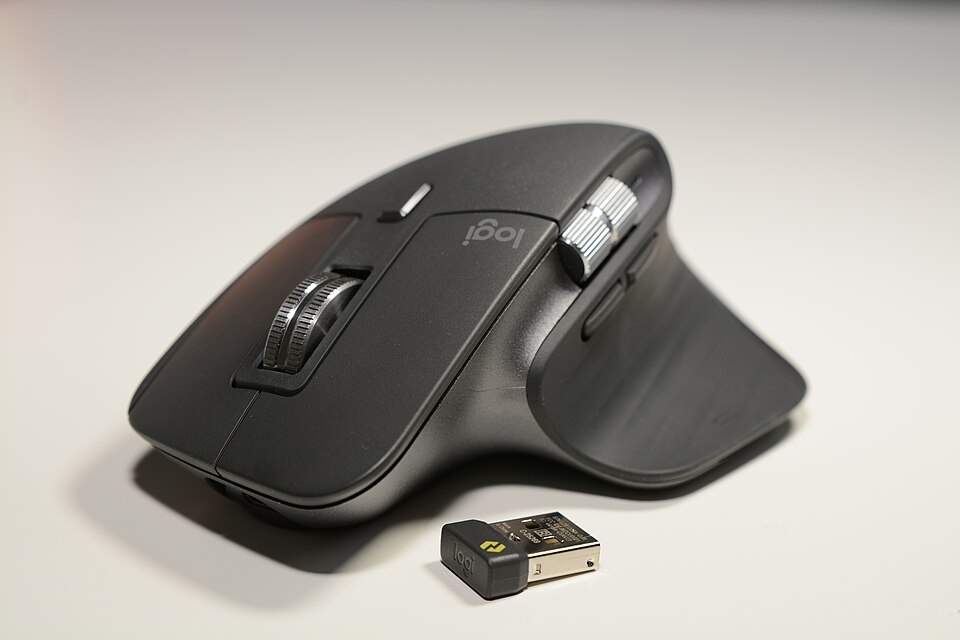
Who should consider the Logitech MX Master 3S?
The Logitech MX Master 3S is best considered by spreadsheet users, office professionals, designers and people who move between multiple displays. The important question is not whether this product has a long feature list, but whether its design matches how you will use it every day. This guide focuses on the actual tradeoffs rather than an unsupported claim that one gadget is universally best.
Verified specifications and what they mean
According to the manufacturer’s published product information, this model offers an 8,000-DPI optical sensor, Quiet Clicks, a MagSpeed electromagnetic scroll wheel, and customizable sensitivity through Logi Options+. These specifications describe the maker’s stated capabilities, not independently measured performance. Compatibility, configuration and regional availability should be checked before purchase.
Reasons to buy
The combination of precision tracking and a rapid scrolling wheel is particularly useful when navigating long documents and spreadsheets. For the right user, that practical advantage may matter more than chasing the highest specification on paper. Consider the equipment you already own and the tasks that actually frustrate you.
Reasons to skip it
It is a substantial, right-handed productivity mouse; shoppers who want a tiny travel mouse, symmetrical grip or esports-oriented lightweight design should look elsewhere. Also consider long-term replacement needs, warranty coverage in your country and whether accessories are sold separately. A seemingly attractive deal may not be attractive once those factors are included.
How it compares with alternatives
A basic office mouse costs less and is easier to carry, while gaming mice may emphasize lower weight and higher polling rates. MX Master 3S is designed around workflow convenience. Compare on the specific feature you need, not on unrelated advertised numbers.
Pre-purchase checklist
Check whether the specific listing includes the receiver and which connection variant it is; distinguish the regular MX Master 3S from the MX Master 3S for Mac. Look for the full model name, included accessories, return policy and manufacturer warranty. If shopping through a marketplace, check that the listing is for the exact variant described here.
Buying verdict
The Logitech MX Master 3S is a sensible candidate for spreadsheet users, office professionals, designers and people who move between multiple displays, provided the limitations above fit your needs. Buyers with different priorities should compare alternatives before spending. We have not performed hands-on testing and make no claims about live price, inventory or customer ratings.