
As an Amazon Associate I earn from qualifying purchases.
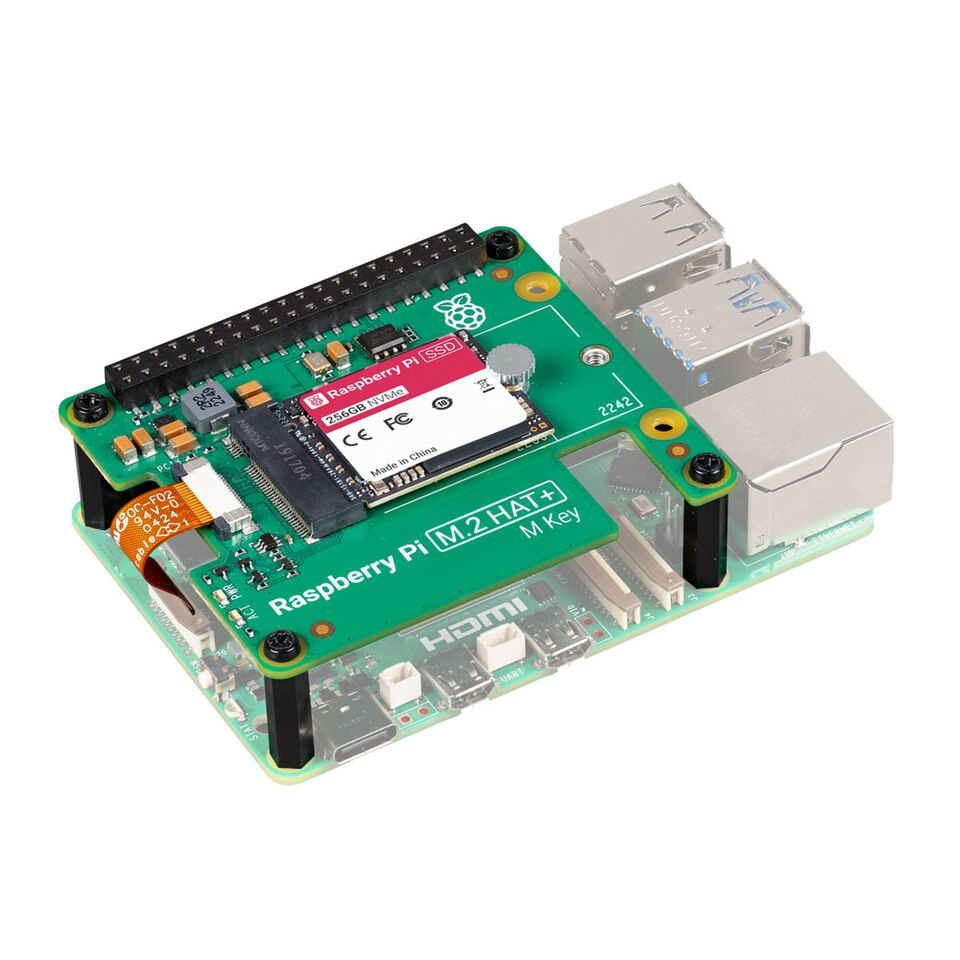
This research-based guide examines Raspberry Pi SSD Kit for realistic buying decisions, including specifications, advantages, tradeoffs, setup requirements and alternatives. It is not a claim of hands-on testing.
Who should buy it?
Raspberry Pi 5 owners who need faster or more durable project storage than a basic microSD setup. The purchase makes sense when that particular use case matters more than a headline specification. Decide first what problem the device needs to solve and what equipment you already own.
Manufacturer specifications and their practical meaning
According to the manufacturer: An official bundle of a Raspberry Pi M.2 HAT+ and compatible NVMe SSD, with installation hardware for Raspberry Pi 5. These are published product specifications, not measurements from hands-on testing. Exact regional variants, accessories and software compatibility should be checked against the listing before purchase.
Strongest reasons to consider it
NVMe storage is useful for workloads with many small reads and writes, such as package installation, databases and build caches. Its main advantage is therefore tied to a concrete workflow rather than an unsupported claim that it is best for everyone. Buyers should weigh that advantage against setup time and any required accessories.
Limitations and reasons to skip it
An SSD kit is not a standalone computer and may conflict with certain enclosures or other PCIe accessories. No single specification guarantees satisfaction: ergonomics, ecosystem restrictions and setup effort can outweigh technical capability. Buyers with different needs may be better served by a simpler product.
How it compares with alternatives
MicroSD is simpler and compact; a USB SSD is another option if the PCIe header is already occupied. This comparison is based on design and intended usage rather than fabricated benchmark results. If you need a specific app, port, peripheral or performance level, verify that requirement separately.
Setup and long-term ownership
Plan for compatible accessories, power and connectivity before ordering. Software updates, documentation, replacement parts and warranty coverage can matter more over time than launch-day specifications. Keep important files backed up where applicable and avoid assuming all third-party accessories are compatible.
Buying checklist
Confirm SSD capacity, M.2 HAT+ hardware, boot firmware support, enclosure height, power budget and backup strategy. Check seller identity, return terms, product generation and what is included in the box. This guide deliberately makes no unverified live-price, inventory, retailer-rating or first-hand testing claims.
Bottom line
Raspberry Pi SSD Kit is most compelling for Raspberry Pi 5 owners who need faster or more durable project storage than a basic microsd setup. The strongest purchase decision is one that matches the actual task, required compatibility and complete ownership cost, not just a product headline.