
As an Amazon Associate I earn from qualifying purchases. This article currently has no Amazon affiliate purchase links; they may be added later.
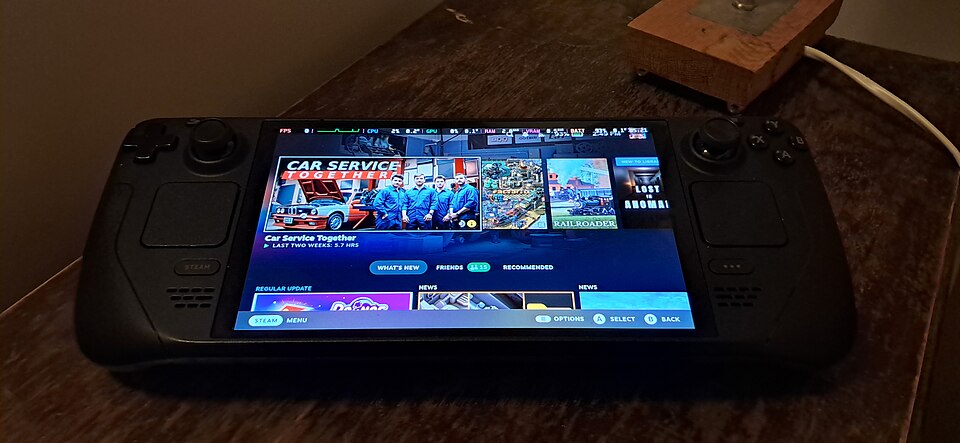
The Steam Deck OLED is designed for people who want their PC games in a handheld form without constantly returning to a desk. It is neither a traditional console nor a thin Windows laptop. That distinction explains both its appeal and its compromises. This research-based buying guide considers the 512GB and 1TB OLED configurations, their real-life use cases, and what to check before spending money.
Who should consider it?
The most natural buyer already has a Steam library and wants to play supported games on the sofa, while traveling, or in short breaks. Someone who mainly uses competitive multiplayer games with restrictive anti-cheat, requires a large keyboard or mouse, or needs maximum graphics settings should research compatibility carefully. A desktop or conventional gaming laptop may suit those priorities better.
The OLED screen is the most visible upgrade
Valve specifies a 7.4-inch HDR OLED touch display with 1280 × 800 resolution and refresh rate up to 90Hz. OLED can produce deep black levels and vivid colors, which is particularly noticeable in dark games. However, 800p also means it is not a substitute for a high-resolution monitor; the smaller screen size and viewing distance partly offset that limitation.
Performance: know the hardware class
According to Valve, the OLED model uses a 6nm AMD APU with four Zen 2 CPU cores/eight threads and eight RDNA 2 graphics compute units. It is a carefully balanced handheld rather than a device intended to brute-force every new PC game at ultra settings. Frame rate depends heavily on the title, graphical preset, resolution, and whether upscaling is enabled. Favor actual game-specific compatibility reports over generic performance promises.
Controls and comfort
Dual analog sticks, trackpads, a touchscreen, gyroscope, standard shoulder controls and four assignable rear grip buttons make the Deck more flexible than a typical handheld console. The trackpads are especially useful for some PC-centric interfaces, though they do not make every keyboard-first game pleasant to play. Weight is approximately 640 grams, so prolonged unsupported handheld sessions may become tiring.
Battery and charging realities
Valve lists a 50Wh battery and a broad 3–12-hour gameplay estimate. The spread is significant: lightweight indie games may run far longer than graphics-heavy titles. A 45W USB-C power supply is included. Travelers should also consider airline power-bank rules and whether they will have reliable charging access during long sessions.
Storage and connectivity
The OLED line includes 512GB and 1TB NVMe SSD options plus a high-speed microSD slot. Large modern games can consume storage quickly, so capacity may matter more than a cosmetic difference between versions. Wi-Fi 6E support can be useful with a compatible router, but regional network rules and your own Wi-Fi setup affect its practical value.
SteamOS and game compatibility
SteamOS offers an integrated handheld interface, but it does not guarantee every Steam game runs equally well. Check each priority title’s Steam Deck compatibility, control needs, online anti-cheat restrictions, and third-party launcher requirements. Some experiences demand settings adjustments. The fact that a game appears in your library does not guarantee ideal play.
Steam Deck OLED vs alternatives
Compared with a conventional gaming laptop, the Steam Deck OLED wins on pick-up-and-play portability but loses keyboard comfort and broad peripheral flexibility. Compared with a Windows handheld PC, SteamOS can feel more console-like, while Windows hardware may suit specific unsupported software. Compared with the older LCD Deck, the OLED model prioritizes the display, battery system and wireless improvements rather than an entirely new class of performance.