
As an Amazon Associate I earn from qualifying purchases. This research guide does not currently contain Amazon affiliate purchase links.
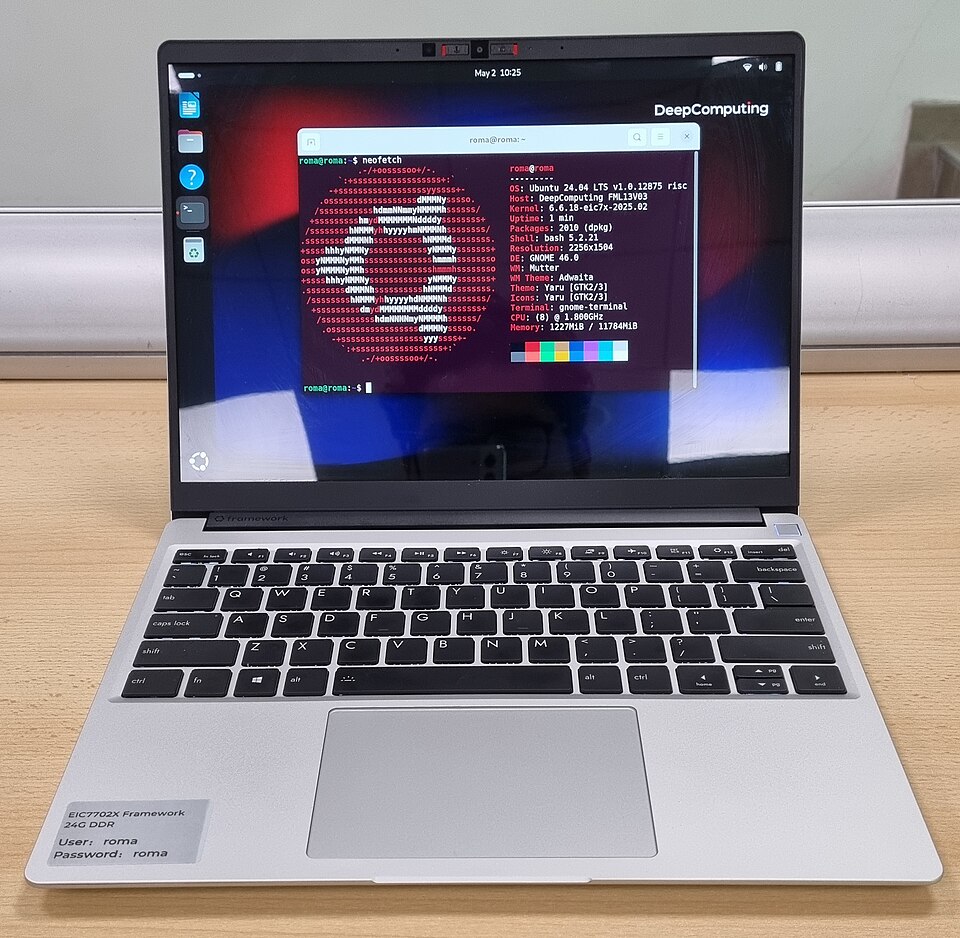
Most laptops are purchased as fixed configurations: you choose the processor, ports and memory, then hope those choices still serve you several years later. The Framework Laptop 13 approaches that problem differently. Replaceable components, modular expansion ports and parts availability make it attractive to buyers who value repairability. But flexibility has practical costs, and not every version of the laptop shares the same processor or software compatibility.
What makes the Framework Laptop 13 different?
The key differentiator is a repair- and upgrade-oriented architecture. Rather than treating the motherboard, input cover or ports as permanently fixed, Framework provides replaceable components and a marketplace for parts. That may extend usefulness for owners who are comfortable following a repair guide. It does not mean all generations are interchangeable or that every future upgrade will be available indefinitely.
Start with the actual processor configuration
Framework offers a Laptop 13 family spanning multiple CPU platforms and generations, including AMD Ryzen AI 300 Series configurations. For the 2025 AMD version, the manufacturer’s specification lists Ryzen AI 5 340, Ryzen AI 7 350 and Ryzen AI 9 HX 370 options depending on configuration. Processor performance, integrated graphics, memory compatibility and price vary, so review the exact listing and release year rather than relying only on the words ‘Framework Laptop 13’.
The modular port system
The system uses user-selectable Expansion Cards. Depending on card and laptop version, options include USB-C, USB-A, HDMI, DisplayPort, Ethernet, memory-card readers and some storage cards. This makes it appealing to users whose desk setup changes often. The downside is that expansion modules must be selected, purchased and managed; a port you need may not be installed when you reach for it. Check compatibility with your exact laptop generation.
Screen, ergonomics and daily usability
Framework lists a 13.5-inch 3:2 display option on its newer models, a shape that can be more comfortable for documents and spreadsheets than a very wide 16:9 panel. Exact resolution and refresh rate depend on configuration. Keyboard feel, speakers, battery endurance and webcam quality still matter for ordinary work; modularity should not distract from testing those day-to-day needs against competitors.
Repairability is a strategy, not a guarantee
A modular laptop can help owners replace a keyboard, a battery or other parts rather than discarding the entire system. However, repair still takes time, tools, compatible spares and a willingness to follow safety instructions. Damage from liquid, impact or electrical faults may not be easy or economical to repair. A modular design cannot replace warranty support or careful backups.
Prebuilt or DIY Edition?
Framework offers both ready-to-use and DIY-oriented configurations in various regions. A DIY buyer may need to source or install memory, storage, an operating system and expansion cards, depending on the selected build. That route suits an enthusiast who wants deliberate control of components. Buyers who simply need a dependable work computer should confirm that a prebuilt configuration includes everything needed on day one.
A note about the accompanying photograph
The licensed photograph on this page shows a real Framework Laptop 13 fitted with a DC ROMA RISC-V mainboard and running Ubuntu, rather than a standard AMD Ryzen AI retail build. It illustrates the product’s modular nature; it must not be used to infer the ports, processor, performance or included software of a particular retail configuration. Check the product listing for the exact generation.
Framework versus a conventional ultrabook
Traditional premium ultrabooks may provide thinner designs, more cohesive factory configurations or more predictable local after-sales service. Framework’s pitch is long-term flexibility and parts availability. If you plan to keep a laptop for several years and perform occasional upgrades, that can be compelling. If you never intend to open a computer, a conventional notebook may be a simpler purchase.
Buying checklist
Check the release year, processor family, memory and storage included, display specification, Wi-Fi card, installed expansion modules, power adapter, operating system, keyboard layout, warranty region and local parts availability. Be especially careful when comparing a DIY kit with a fully assembled configuration. Do not mistake a third-party motherboard retrofit for the standard factory model.
Verdict
The Framework Laptop 13 is a thoughtful choice for buyers who actively value repairability and configurable ports. It is less obviously attractive if the buyer wants a sealed, completely maintenance-free notebook or if local component support is limited. Its best feature is choice; that value depends on whether you will actually exercise it.
Sources and related reading
See Framework Laptop 13 manufacturer specifications and Framework’s official repair guides. For other work equipment, review our Logitech MX Master 3S guide.