
As an Amazon Associate I earn from qualifying purchases.
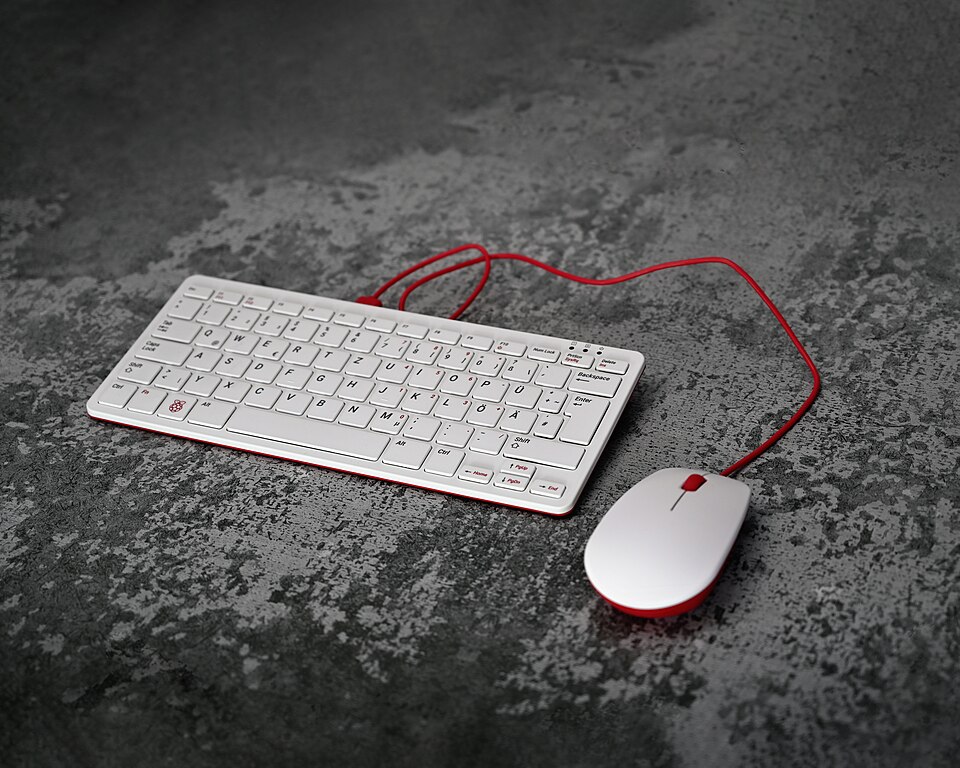
The Raspberry Pi 400 puts a Linux-capable computer inside a compact keyboard, offering a practical entry point for programming, basic desktop work and electronics learning. This guide addresses the original Raspberry Pi 400, not the newer Raspberry Pi 500 or 500+. The image shows the Pi 400 with a separate Raspberry Pi mouse.
Editorial disclosure: This guide is based on manufacturer information and does not claim personal testing. No Amazon purchase link has been verified or included; purchase links may be added later.
The audience that benefits most
Students learning Python, makers exploring GPIO projects, hobbyists who want a spare Linux machine and families introducing children to computing are strong fits. It is not intended to replace a modern high-end workstation. A conventional laptop remains more portable as a complete system because the Pi 400 still needs a monitor, power, pointing device and suitable storage.
Verified specifications
Raspberry Pi lists a Broadcom BCM2711 quad-core 64-bit Cortex-A72 processor at 1.8 GHz, 4 GB LPDDR4-3200 RAM, dual-band Wi-Fi, Bluetooth 5.0, Gigabit Ethernet, two USB 3.0 ports, one USB 2.0 port, two micro-HDMI outputs and a horizontal 40-pin GPIO header. Its microSD slot hosts the operating system and files. Video-output support is not a guarantee of smooth performance for every high-resolution application.
Why a keyboard computer works
The integrated keyboard eliminates one cable and makes a tidy, low-cost classroom or desk setup. Raspberry Pi OS gives access to programming tools and a familiar graphical interface. The GPIO header allows hardware experiments with compatible accessories. A teacher or hobbyist can keep a prepared microSD card and swap operating-system environments without opening the machine.
Performance and realistic limitations
Four gigabytes of memory and an older ARM processor constrain heavy multitasking, browser tabs, demanding video calls and specialist x86 software. ARM compatibility matters: applications written only for Windows PCs may not run natively. A microSD card is easy to replace but not always as responsive or durable as SSD storage. For demanding desktop workloads, consider a laptop or more recent Pi-based hardware.
What else must you purchase?
Depending on whether you buy the bare computer or a regional kit, you may need a USB-C power supply, micro-HDMI cable, microSD card, mouse, monitor and adapters. The keyboard layout and power plug differ by region. A kit can reduce setup friction, but verify the exact bundle contents rather than assuming every seller includes the same accessories.
Alternatives worth comparing
A Raspberry Pi 5 board is better suited to custom cases and flexible cooling or storage projects, while the Pi 400 offers an integrated keyboard. Raspberry Pi 500 is a newer keyboard-computer alternative with different capabilities. A refurbished office mini-PC can offer greater compatibility with conventional desktop software but may consume more power and provide less direct GPIO access.
Checklist and verdict
Confirm the regional keyboard, board model, power requirements, OS image, microSD capacity, monitor inputs, GPIO access and seller support. Raspberry Pi says the Pi 400 kit is expected to remain in production until at least January 2028, but that is not a guarantee of retail stock. The Pi 400 remains a useful teaching tool when its modest computing limits are understood. Compare with our Raspberry Pi 5 review and Zero 2 W guide.
Manufacturer documentation
Official product specifications and support information. Check the exact model and support status before purchasing.